33f333 App — Your Full Casino in Your Pocket
The 33f333 app brings every game, live sport, and bKash/Nagad payment to your Android phone. Free to download. No browser needed. Works on any Android 6.0+ device.
v3.5.8 · 58 MB · Free · Android 6.0+
Scan to download
How to Install the 33f333 APK on Android
Android blocks apps from outside the Play Store by default. Follow these five steps and you'll be playing in under three minutes.
-
1
Allow Installation from Unknown Sources
Go to Settings → Apps → Special App Access → Install Unknown Apps. Find your browser (Chrome or Firefox) and switch the toggle to Allow. On some Samsung phones the path is Settings → Biometrics & Security → Install Unknown Apps. You only need to do this once — you can turn it back off after installation if you prefer.
-
2
Download the APK File
Tap the Download APK button on this page or visit 33f333.ws/33f333-app/ directly from your phone browser. Your browser will ask for confirmation — tap Download anyway. The file is named 33f333.apk and is 58 MB. It will save to your Downloads folder automatically. Do not download from any other website.
-
3
Open the APK File
Pull down your notification bar and tap the completed download, or open your Files app and navigate to Downloads → 33f333.apk. Android will scan the file automatically. A popup screen labelled "Do you want to install this application?" will appear. Review the permissions listed — they cover camera (for KYC photo), storage, and internet. Then tap Install.
-
4
Wait for Installation to Finish
Installation takes about 15–30 seconds depending on your phone. When the screen shows "App installed", tap Open to launch it immediately, or tap Done and find the 33f333 icon on your home screen. The app adds a shortcut automatically. If you see a Play Protect warning, tap Install anyway — this warning appears for all APKs outside the Play Store.
-
5
Log In or Register
If you already have a 33f333 account, tap Log In and enter your mobile number and password. New players: tap Register (or visit 33f333-register) — the sign-up form takes under two minutes. Once logged in, your bKash or Nagad wallet is ready to deposit from ৳100.
iOS Users (iPhone/iPad): The App Store does not carry the 33f333 app. Instead, open Safari → 33f333.ws, tap the Share icon at the bottom, then select Add to Home Screen. The PWA version loads the full casino and sports lobby with one tap — no download needed. Push notifications and fast login work just like the Android app.
What You Can Do in the 33f333 App
Explore CasinoSlots & Crash Games
Access every slot in the full lobby — including Honor of Juma (CQ9), Phoenix Rises (Evolution), and Juma Dragon (Playtech). Crash titles like Crash Bonus load in under two seconds on a standard 4G connection. Bet from ৳1 per spin. The mobile layout adjusts automatically for portrait and landscape play.
Live Casino Tables
Evolution live studio streams directly into the app — Baccarat, Roulette, and Andar Bahar run at HD quality. The dealer chat works on mobile. Live tile indicators show current bead roads and squeeze results so you can read the table before placing a bet. No lag on bKash connection speeds typical in Dhaka.
Cricket & Football Betting
BPL, IPL, T20 World Cup — all match lines update in real time. Place pre-match bets or switch to in-play when the first over starts. The app's sports section uses a compact odds card designed for one-thumb navigation. T20 innings markets, top batsman, and over/under totals are all accessible from the main sports tab.
bKash & Nagad Deposits
Tap Deposit from the app wallet screen, select bKash or Nagad, and send from ৳100. The confirmation typically arrives in about 4 minutes. Withdrawals go back to the same mobile wallet — minimum ৳400, processed in roughly 45 minutes. No need to open a separate banking app mid-session.
Push Notifications
Get alerts when a deposit clears, a withdrawal is approved, or a new reload bonus goes live. App notifications also cover live score updates for matches you've bet on. You can manage which alerts you receive in Settings → Notifications — turn off anything you don't want without losing your match tracker.
24/7 Live Chat Support
The support chat button sits in the bottom-right corner of every screen. No need to switch to a browser — type your question directly in the app and a support agent responds in real time. Chat works even when you have a weak signal; messages queue and send when your connection recovers. Available every day, all day.
Games Available Right Now


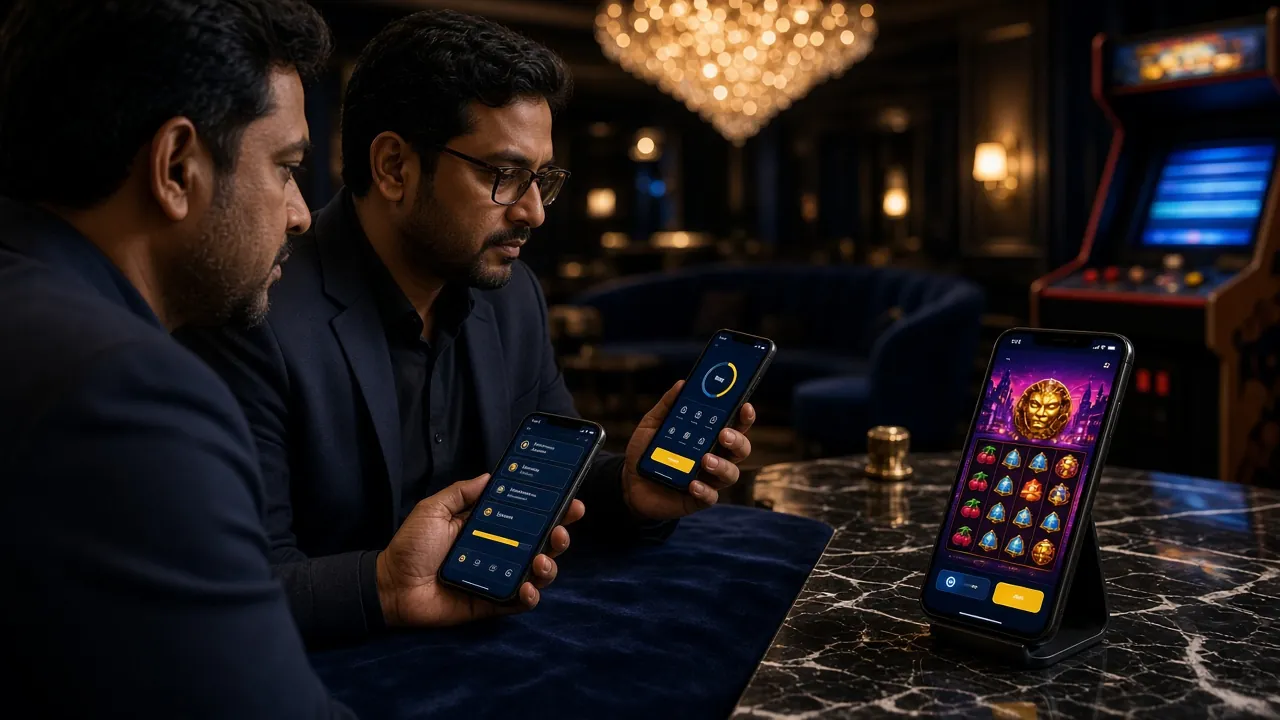
System Requirements & Version Info
All information below is taken directly from the current build. Check your Android version in Settings → About Phone before downloading.
| Detail | Value |
|---|---|
| App Name | 33f333 |
| Current Version | 3.5.8 |
| File Name | 33f333.apk |
| File Size | 58 MB |
| Minimum Android | Android 6.0 (Marshmallow) or above |
| Last Updated | 3 November 2026 |
| Price | Free — no hidden charges |
| Platform | Android APK / iOS PWA (Safari) |
| Languages | English, Bangla |
| Internet Required | Yes — 4G or Wi-Fi recommended for live games |
Only download from 33f333.ws/33f333-app/ — this is the official source.
Supported Devices
- Samsung Galaxy A-series and S-series (Android 6+)
- Xiaomi, Redmi, POCO (MIUI 10+)
- Realme, OPPO, Vivo (ColorOS / FunTouchOS)
- Symphony, Walton, and other Bangladesh-market brands (Android 6+)
- Android tablets with 1GB+ RAM
- iOS (iPhone/iPad): use Safari Add to Home Screen — no APK required
App vs Browser — What's the Actual Difference?
Both the app and the mobile browser version use the same wallet and account. The differences come down to speed, notifications, and convenience.
| Feature | 33f333 Android App | Mobile Browser (Chrome/Firefox) |
|---|---|---|
| Load time after first use | Under 2 seconds (cached) | 3–5 seconds (full page reload) |
| Push notifications | Full support — deposits, bonuses, scores | Not available |
| Home screen shortcut | Added automatically at install | Manual bookmark only |
| Biometric login (fingerprint) | Supported on compatible phones | Not available |
| Background data usage | Minimal — only when open | None when tab is closed |
| Works offline (lobby view) | Lobby cached — browsable without internet | Requires active connection |
| KYC document upload | Direct camera access — faster upload | Works but extra browser steps required |
| Storage used | 58 MB on device | 0 MB — fully web-based |
| Auto-update | Prompted via in-app banner | Always latest version automatically |
| Live casino video quality | Optimised stream for mobile bandwidth | Standard stream — same quality |
| bKash / Nagad deposit | One-tap redirect to mobile wallet app | Redirect works — slightly more taps |
Both options use the same account, balance, and bonuses. The app is faster after the first install; the browser version is better if storage space is limited on your phone.
What Permissions Does the App Request — and Why?
The 33f333 app requests only what it needs to run. Here's a plain explanation of each permission and what it does.
INTERNET & NETWORK ACCESS
Required to connect to game servers, load live casino streams, and process bKash/Nagad payments. The app communicates over an encrypted HTTPS connection — the same security standard used by banks. No game data or financial request leaves the app without SSL encryption. You can verify by checking that the connection uses TLS 1.2 or above.
CAMERA (Optional — KYC Only)
The camera permission is only prompted when you start a KYC verification for your first withdrawal. The app uses it to photograph your National ID Card (NID), Passport, or Driving Licence. Camera access is not active at any other time. If you prefer, you can upload a photo from your gallery instead — the camera permission is not mandatory.
STORAGE (Read/Write)
Storage access lets the app save your session cache (so games load faster on repeat visits) and receive document uploads during KYC. The app does not read your photos, contacts, or messages — only the files you explicitly choose to upload. Storage is also used to download the in-app update package when a new version is available, avoiding a full re-download.
NOTIFICATIONS (Optional)
Android 13 and above will ask separately whether you want to receive push notifications. These cover deposit confirmations, withdrawal status updates, bonus activations, and live score alerts for your betslip events. You can grant or deny this permission without affecting gameplay. Turn individual notification types on or off at any time in Settings → Notifications inside the app.
Install Problems? Check This First
Most installation failures have a straightforward fix. Match your error to the table below before contacting support.
| Problem | Likely Cause | How to Fix It |
|---|---|---|
| "Install blocked" message | Unknown sources permission is off for your browser app | Go to Settings → Apps → [Your Browser] → Install Unknown Apps and enable it. Then tap the downloaded APK file again from your notifications or Files app. |
| App shows "Package error" or "Parse error" | The APK file was corrupted or only partially downloaded | Delete the existing 33f333.apk from your Downloads folder. Re-download directly from 33f333.ws/33f333-app/. Check you have a stable connection before starting the download — do not switch between Wi-Fi and mobile data mid-download. |
| "Not enough storage space" | Phone has less than 58 MB of free internal storage | Open Settings → Storage and free up space by deleting unused apps or cached data. The 33f333 app needs at least 120 MB free to install (58 MB file + expansion). A microSD card will not help — the APK must install to internal storage. |
| App crashes immediately after opening | Android version is below 6.0, or insufficient RAM (<1 GB) | Check your Android version in Settings → About Phone → Software Information. If it shows Android 5.x or lower, the app is not compatible. Use the mobile browser version at 33f333.ws in Chrome instead — it works on Android 5.0+. |
| Google Play Protect keeps deleting the app | Play Protect is set to auto-remove apps installed outside the Play Store | Open the Play Store app → tap your profile icon → Play Protect → Settings and turn off "Scan apps with Play Protect" temporarily. Re-install the APK. You can turn Play Protect back on afterwards — it will not remove an already-installed app unless you manually trigger a scan. |
Still stuck? Open the in-app live chat or email [email protected]. The support team is available 24/7 and can walk you through installation via chat.
Already Have the App? Open Your Account Now
Registration takes about two minutes. Use your mobile number, pick a password, and your account is active. Deposit from ৳100 via bKash or Nagad to claim the welcome bonus.
Get the 33f333 App — One Tap Away
-
Instant bKash & Nagad Deposits
Top up in about 4 minutes without opening a browser. Deposits from ৳100.
-
Full Game Lobby On Your Phone
All 4,100+ slots, live tables, crash games, and sports markets — same as desktop.
-
Push Alerts for Odds Changes
Get notified when live cricket odds move, so you catch the right moment to bet.
-
Fingerprint & PIN Login
Skip typing your password every time. Secure biometric login takes under a second.
Scan to download
Opens the APK download directly
Things Players Ask Before They Download
Is the 33f333 APK safe to install on my phone?
Yes. The APK hosted at 33f333.ws/33f333-app/ is the official build — do not download it from any other site. The file uses an SSL-verified download link and is scanned before each release. Android's "unknown sources" warning is standard for all apps outside the Play Store; it does not indicate a safety problem. The app only requests permissions needed to function: internet, optional camera for KYC, storage for cache, and optional notifications. It does not access your contacts, SMS, or bank apps.
My phone says the install failed — what do I do?
Start by checking three things in order. First, confirm "Install Unknown Apps" is allowed for your browser in Settings. Second, delete the downloaded file and re-download on a stable connection — a partial download causes a parse error every time. Third, verify your phone runs Android 6.0 or higher in Settings → About Phone. If all three are fine and it still fails, send the exact error message text to [email protected] and the team can diagnose it from there. Most failures are resolved within one chat session.
How do I update the 33f333 app when a new version comes out?
When an update is available, a banner appears at the top of the app home screen with the message "A new version is available — tap to update." Tapping it downloads the new APK automatically within the app. You can also check manually: go to Settings → About App inside the app to see your current version (displayed as 3.5.8 right now) and compare it to the version listed on this page. You do not need to uninstall the existing app before updating — the new build installs over the top without affecting your account or history.
Does the app work on iPhone?
The App Store does not carry betting apps for Bangladesh-based players, so there is no IPA file to install. iPhone and iPad users should open Safari, navigate to 33f333.ws, tap the Share icon at the bottom of the screen, and select Add to Home Screen. This creates a PWA shortcut that looks and behaves like a native app — it opens without browser bars, loads quickly after the first visit, and supports the same bKash/Nagad deposit flow. Push notifications are limited compared to Android but the full game lobby and live betting are available.
Can I use the same account on both the app and the browser?
Yes — your 33f333 account works across every platform: the Android app, iOS PWA, desktop browser, and mobile browser. Your wallet balance, bonus status, bet history, and VIP tier are shared in real time. You can start a live casino session on your phone app and check the result later on your desktop browser. The only restriction is concurrent sessions: you cannot be logged in on two devices at the same time. Logging in on a second device signs out the first one automatically.
Will the app drain my phone battery or use a lot of mobile data?
Slots and crash games use roughly 8–15 MB of data per hour on a normal session. Live casino streams use more — around 80–150 MB per hour depending on video quality. Battery use is similar to any HD video app. The 33f333 app includes a Data Saver toggle in Settings that lowers video quality for live casino to around 30–50 MB per hour — useful on a limited mobile data plan. The app does not run background processes when you close it, so it does not drain battery when you're not playing.
Do I need to complete KYC to use the app?
You can register, deposit, and play immediately without KYC. Verification is only required before your first withdrawal. At that point, the app will prompt you to submit one document: your National ID Card (NID), Passport, or Driving Licence. You can upload a photo from your gallery or use the camera directly in the app. The review process typically takes up to 12 hours. Once approved, all future withdrawals — minimum ৳400, processed in about 45 minutes — go through without additional checks. See the full KYC guide for step-by-step details.